

.webp)
With over 89 million monthly users, using Yahoo Japan is a must when running Digital Advertising campaigns in Japan.
Within this ad platform, one of the most powerful formats is Display Ads, which allows brands to efficiently build brand awareness to a mass audience across Japan.
Display Ads
Yahoo Japan Display allows advertisers to show banner, image, and rich media ads across Yahoo Japan’s network of websites and partner sites. However, one of the biggest challenges that advertisers face is the high possibility of ad fraud (Bots and junk traffic). Without actively protecting your campaigns, there's a good chance a portion of your budget is being quietly wasted on fake impressions and bot traffic.
In this article, I will explain what traffic fraud is, how it can happen, and how to fight against it.
Ad Fraud is the case of your ad being clicked by bots, scripts, or manipulated placements designed to generate fake engagement.
In a big-scale network like Yahoo Japan, this fraud can show up in several ways:
Because Yahoo Japan Display Network has a massive audience reach across thousands of partner sites, there is a possibility that ads are placed on random or unrelated websites that don’t fit your goals.
To ensure that our ads only show on high-quality websites, we need to manually create a control, called a “Whitelist placement”. A Whitelist placement is a strategy to list a high-quality placement (e.g., like a specific website or app) that we believe fits our goals.
Creating a Yahoo Japan Display whitelist or exclusion list placement isn’t simple. It requires time to do deep research and planning. Here’s a typical breakdown of the steps needed to create a whitelist:
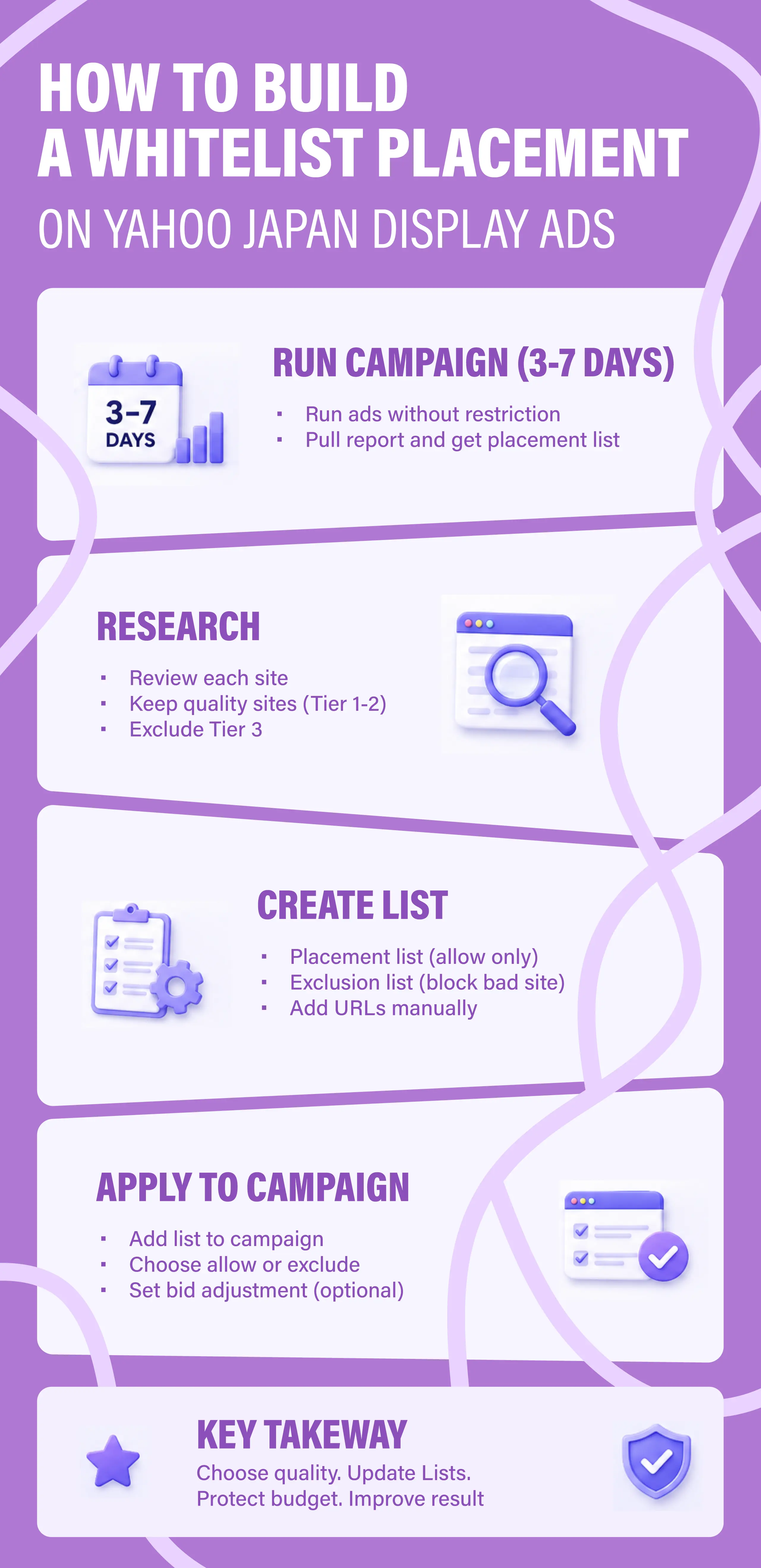
If this is your first campaign, don't waste time researching placements upfront. The reason is simple: not every Japanese website is part of the Yahoo Japan Display Network, so any list you build beforehand will probably be missing a lot.
The better move is to let the campaign run freely for the first 3–7 days with no placement restrictions. This way, Yahoo's platform will distribute your ads across all its partner sites — and you'll actually see where your ads are showing up.
To find that data, pull a report manually: go to the report section, create a report template at either the account or campaign level, and look for the ad placement name column. That'll give you your full placement list to work from.
Unfortunately, there are no shortcuts here — you'll need to go through the placement list one by one and judge each site yourself.
Once you've exported the placement report from your initial campaign run, the research begins. What you're trying to figure out is simple: is this a site that matches the audience for my ads?
My approach is to sort every site into two categories: niche and tier.
Niche
This is the site's topic area — News & Media, Finance, Technology, Entertainment, Lifestyle, Travel, Food & Beverage, Education, E-commerce, Automotive, Real Estate, Health, Sports, Gaming, etc.
Tier
This is about placement/site quality and reputation. I use tools such as Ahrefs or Semrush to get a sense of organic traffic, and then rate each site as tier from 1 to 3:
As a general rule, I exclude Tier 3 straight away. The one exception: if you're advertising something gaming-related, game portals might actually be worth keeping in.
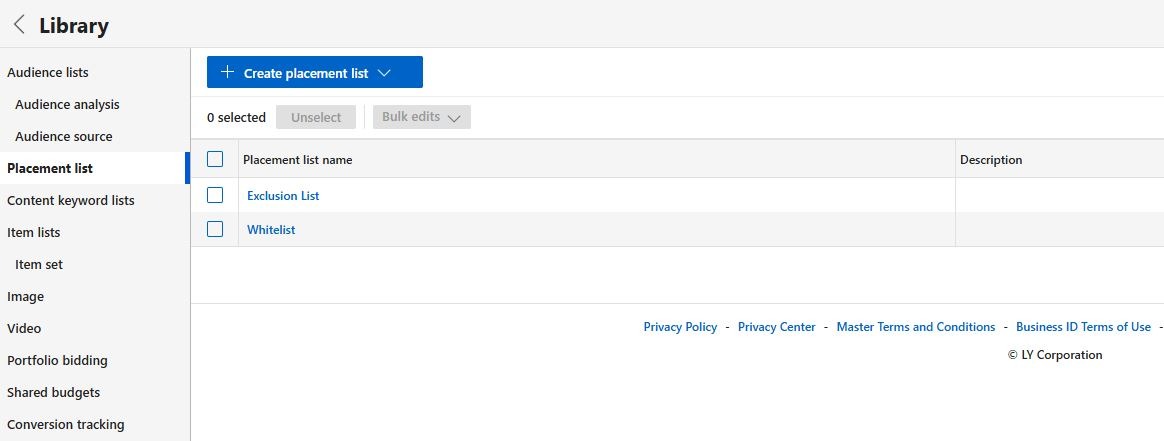
Before you build anything, decide which approach fits your goal:
To create a placement list:
To create an exclusion list:
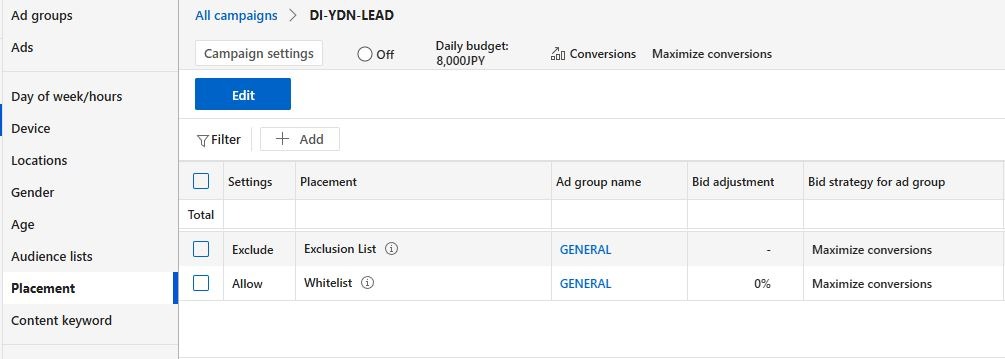
Once your list is ready, adding it to a campaign is simple. Select the campaign -> go to Placement -> click Edit -> select the ad group -> then tick ‘Allow’ for a placement list or ‘Exclude’ for an exclusion list.
You'll also see a bid adjustment option for each list — this is optional but useful if you've built out multiple lists. For example, if you have a Tier 1 and a Tier 2 list, you might bid 20% higher on Tier 1 to prioritize the better placements. If you only have one list, just leave the bid adjustment as-is.
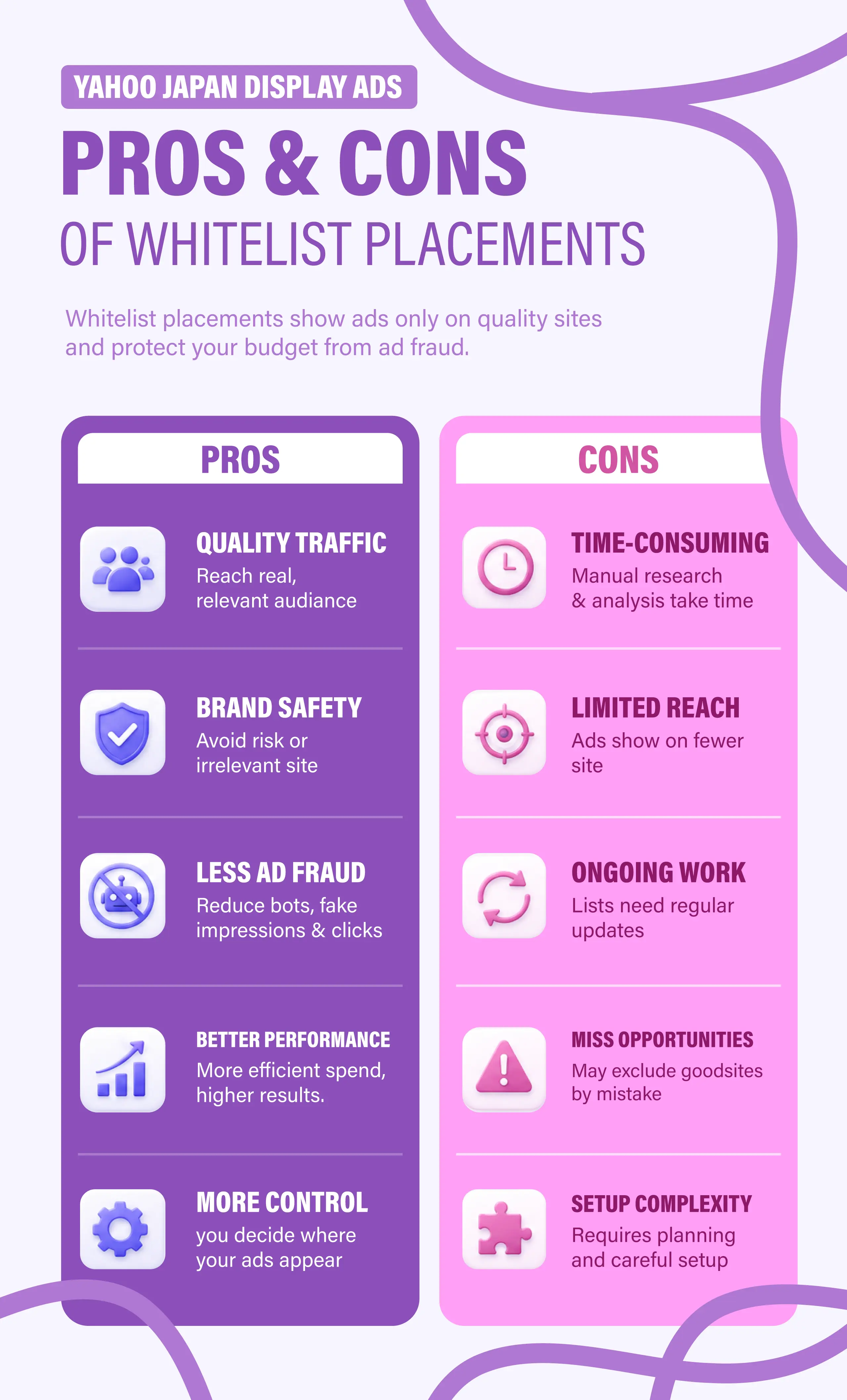
Having whitelist placements has proven to be effective in avoiding Ad fraud. However, there are both pros & cons to the tactic:
For a brand or product I've never run ads for before, I'll always start with 3–7 days of open placement (as mentioned earlier). From the second phase onwards, I run with a whitelist.
My usual setup is two campaigns:
This campaign only runs on the whitelist. I split it further into two separate lists — Tier 1 and Tier 2 — so I can see which one actually performs better. Whichever tier wins, I'll bump the bid up by 20–30% to push more budget toward it.
This campaign runs on everything except the whitelist. I cap it at one month — the purpose is purely to catch any unknown sites that are quietly performing well. Any placements that stand out get added to the whitelist used in Campaign 1. Once the campaign starts generating a significant number of conversions, I pause it and reallocate the budget to Campaign 1.
==========
That covers my full process — from the initial research all the way through to campaign structure. It's more involved than most people expect, but done right, a whitelist can clean up your placements and improve performance for your Yahoo Ad Japan campaign.
If you'd like help setting this up for your own campaigns, we've done plenty of these. Don't hesitate to get in touch with me at: meteor@geezerbuild.com



.png)

.png)


.png)
.png)


.png)
%20-%20SALASA%20GOLDEN%20CHILD%20TOUR%202024%20(3)%20(1).png)
%20-%20Dios%20Gasoline%20Tour%202024%20(1).png)
%20-%20Aiko%20-%20social%20media%20advertising%20(1).png)
.jpg)
%20(1)-min.jpg)
%20(3)%20(1)-min.jpg)
%20(2)-min.jpg)
%20(1).png)
.png)
-min.jpg)
.png)


-min.jpg)


.png)






%20-%20Orisaka%20Yuuta%20Spell%20Tour%202024%20(1).png)


